
Moon Lander
$10,000
( $5,000 Small Facility )
*Volume pricing also applies
Lander Controls
Single User
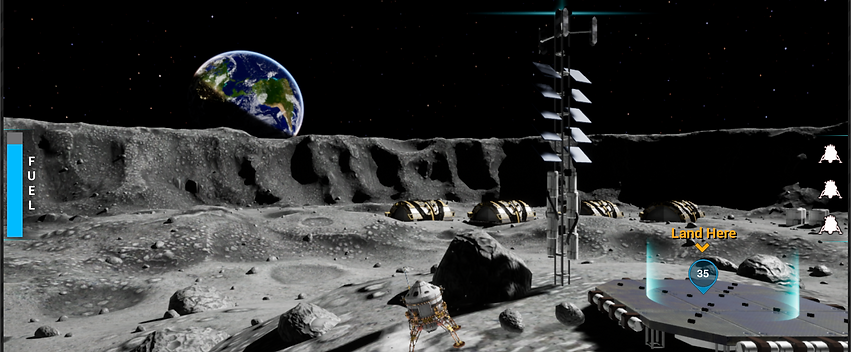
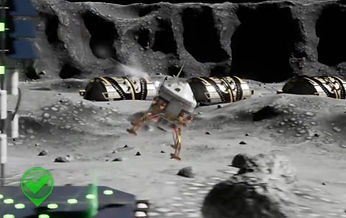
Fly a lander to experience the Moon’s surface and better understand its physics. Carry out various objectives while balancing gravity, thrust, and fuel consumption.
User Experience
Moon Lander has three available difficulty modes: Easy, Normal, and NASA. Each mode is progressively harder and adds additional realism to the challenge of navigating the lunar surface.
Easy: This mode is intended for very young or novice guests; mechanics are kept extremely simple. The lander automatically orients upward and side thrusters only impart lateral velocity. The lander has boosted durability thereby increasing the number of collisions before exploding.
Normal: This mode introduces rotational velocity. Side thrusters now rotate the lander but the rotational velocity reduces over time. In effect, this requires visitors to orient the ship towards the intended landing zone using side thrusters and add lateral velocity via the vertical thruster. To land safely, visitors must counter rotate the lander and add thrust to negate lateral velocity.
NASA: This mode has even more realistic mechanics. Rotational velocity will continue until countered by an opposite thrust.
User Interaction
Buttons are used to control vertical and side thrusters.
Vertical Thrusters
-
Left: Gives a strong thrust and moves the lander quickly but uses more fuel.
-
Right: Gives a weak thrust and moves the lander slowly but conserves fuel.
Side Thrusters
-
Left: Rotates the top of the lander to the left.
-
Right: Rotates the top of the lander to the right.

Educational Points
Learn about inertia and gravity.
-
Inertia: When thrust is applied, the lander will continue to move in that direction until countered by opposite thrust.
-
Gravity: The surface gravity on the Moon is only about 16% of the surface gravity on Earth.
Hold Time Data
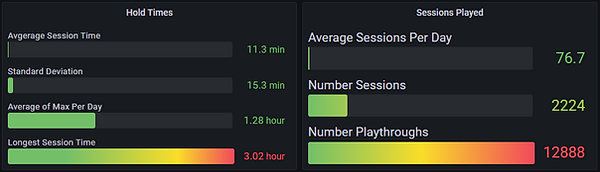
Visitors played on average up to 11 mins per day in a 4 week time span.
( The Average Maximum of each day was 1.28 hours )
Number of Playthroughs is separate missions played in one session.
Some sessions lasted as long as 3 hours (probably school group)
Hardware provided
-
Keylok license dongle
-
Arduino-based control interface wired to arcade quality buttons sourced from Suzo-Happ.
-
Control interface wired to arcade quality buttons
Recommended hardware
-
Display: Made to work on 4k or 2k displays. (Ensure Windows display scaling is set to 100%)
-
Audio: Speakers should be plugged directly into the computer. Using TV speakers may not work if the computer is on before the TV has been turned on.
Required Computer specs
-
Quad Core CPU (or better).
-
Power Supply: 600 Watt (or better).
-
Graphics Card: Nvidia RTX 3060 Ti (or better).
-
RAM: 16 GB (or greater).
-
SSD: 120+ GB.
-
OS: Windows 10 or Windows 11.