
Gravity Lab
$7,500
( $3,750 Small Facility )
*Volume pricing also applies
Touchscreen
Multi User 8+
We strongly recommend and built for the Ideum Platform.
Technically only for supporting 80+ touches, also it is resilient and reliable :)
Ideum
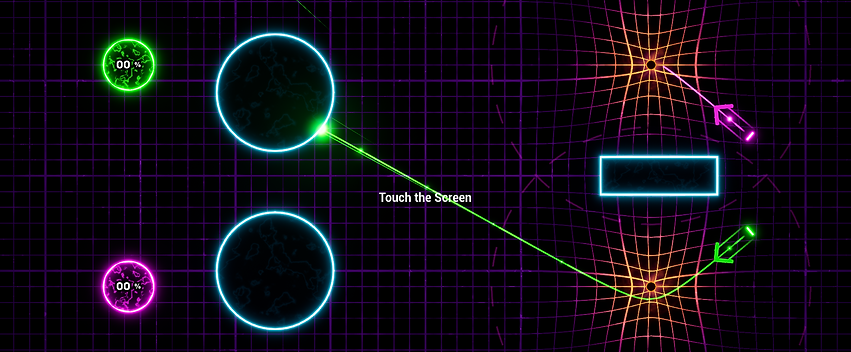

Solve puzzles using gravity wells in this shared user experience!
User Experience
This shared multi-user exhibit allows visitors to interact and work together to solve increasingly difficulty challenges.
-
Multi-User: Utilizing an Ideum Table allows for 80 touch points. This lets large groups and families interact and solve each puzzle.
-
Gravity: Distort trajectory paths with gravity.
User Interaction
This shared multi-user exhibit allows visitors to interact and work together to solve increasingly difficulty challenges.
-
Multi-User: Utilizing an Ideum Table allows for 80 touch points. This lets large groups and families interact and solve each puzzle.
-
Gravity: Distort trajectory paths with gravity.
Educational Points
-
See how gravity affects the beam trajectory in fun and interesting ways.
-
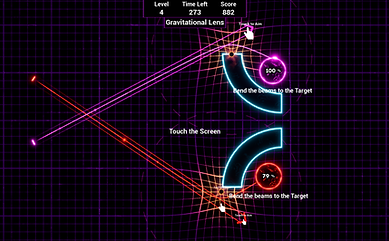
Gravity Well: Gravity wells affect the direction and movement of any nearby particles. Position gravity wells to solve the challenges of directing the particle beams into the given targets.
Hold Time data
Average hold time is 1 minute.
Hardware provided
-
Keylok license dongle
Recommended hardware
-
Touch Screen
-
We strongly recommend the Ideum Multitouch table - it is simple to set up, extremely durable, virtually turn key and supports up to 80 touches.
-
For non Ideum Multitouch products, we highly recommend a 4k display that allows more than 20 touches.
Required Computer specs
-
Quad Core CPU (or better).
-
Power Supply: 600 Watt (or better).
-
Graphics Card: Nvidia RTX 3060 Ti (or better).
-
RAM: 16 GB (or greater).
-
SSD: 120+ GB.
-
OS: Windows 10 or Windows 11.