
Planetary Bombardment
$7,500
( $3,750 Small Facility )
*Volume pricing also applies
Touchscreen
Single User
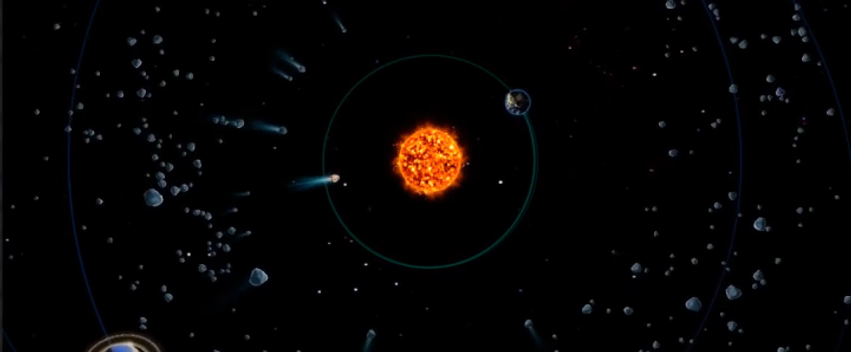

Discover how gas giant planets cleared our early solar system of asteroids and comets. Place gas giant planets around our Sun to see how orbital dynamics affects our system and orbital paths.
User Experience
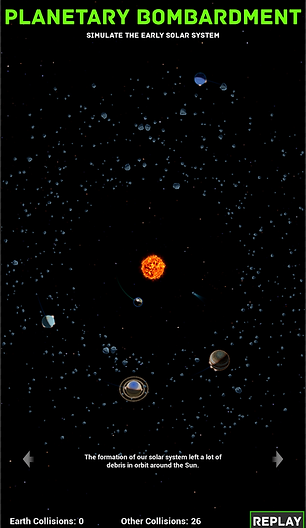
Planetary Bombardment lets visitors experience and discover what the Late Heavy Bombardment phase was like. Visitors choose where and how many planets are placed into the system and will see how the larger planets cleaned the early solar system. This cleaning action is what allowed the inner worlds to have relative peace from impacts.
-
Planets: Tap and drag the major planets out into the system.
-
Simulate: Once the planets are placed, tap the simulate button to see whether the placement protects the inner planets.
-
Drag: After the simulation runs, the view can be changed by dragging around on the screen.
User Interaction
This experience uses modern touch controls like touch and drag. Use easy gestures to place and simulate the solar system.
Touch Screen
-
Touch: Tap to select planets and drag them into view.
-
Drag: Drag to orbit and change the view.
Educational Points
From about 4.5 to 3.8 billion years ago, failed planets and smaller asteroids slammed into larger worlds, scarring their surface. Near the end of the violence, during a period known as the Late Heavy Bombardment, impacts in the solar system may have increased.
-
Planets: Place the planets in any orbital position.
-
Simulate: Once the planets are placed, begin the simulation to see if Earth survives.
Hold Time data
Average hold time is 1 minute.
Hardware provided
-
Keylok license dongle
Recommended hardware
-
Touch Screen
-
Display: Made to work on 4k or 2k displays. (Ensure Windows display scaling is set to 100%)
-
Audio: Speakers should be plugged directly into the computer. Using TV speakers may not work if the computer is on before the TV has been turned on.
Required Computer specs
-
Quad Core CPU (or better).
-
Power Supply: 600 Watt (or better).
-
Graphics Card: Nvidia RTX 3060 Ti (or better).
-
RAM: 16 GB (or greater).
-
SSD: 120+ GB.
-
OS: Windows 10 or Windows 11.